
Kazinga
The fast family tabletop game, plus Kazinga To Go for iOS and Android.
See Kazinga
Wrestling simulation game
Wrestle head to head against the computer, or hand the device back and forth for local pass-play. Draw offensive, defensive and neutral moves, manage the clock, and rack up takedowns, back points, escapes and reversals. Folkstyle rules only.
Tech Fall! is complete. Download and play free, with optional one-time in-app purchases. Store-local pricing and live download links will appear here as soon as the App Store and Google Play listings are public.
Step onto the mat
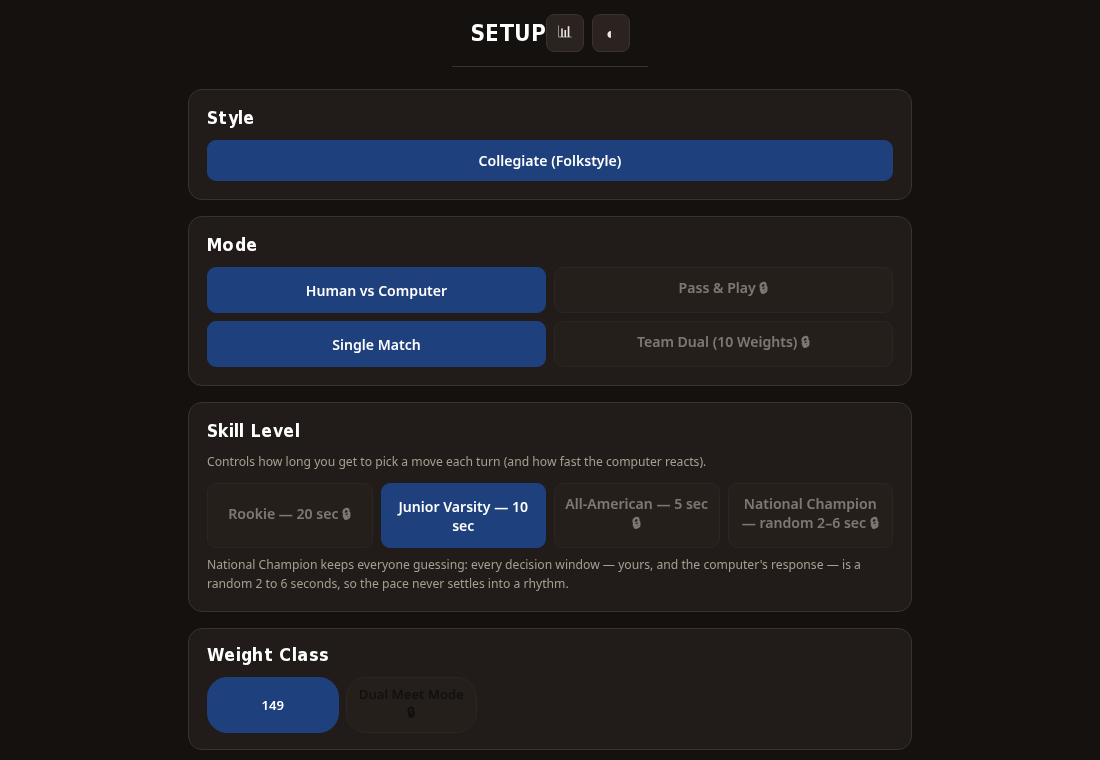
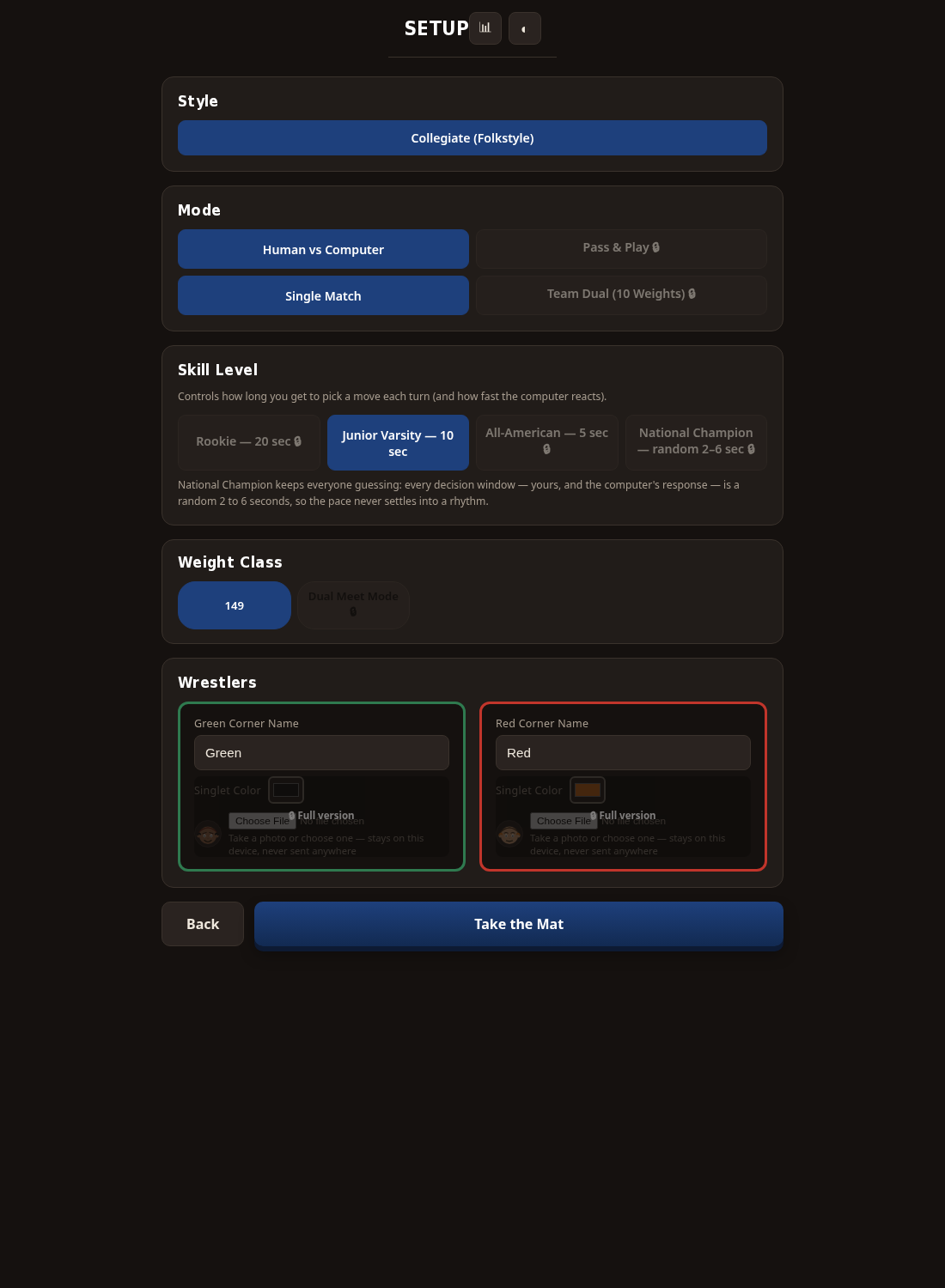
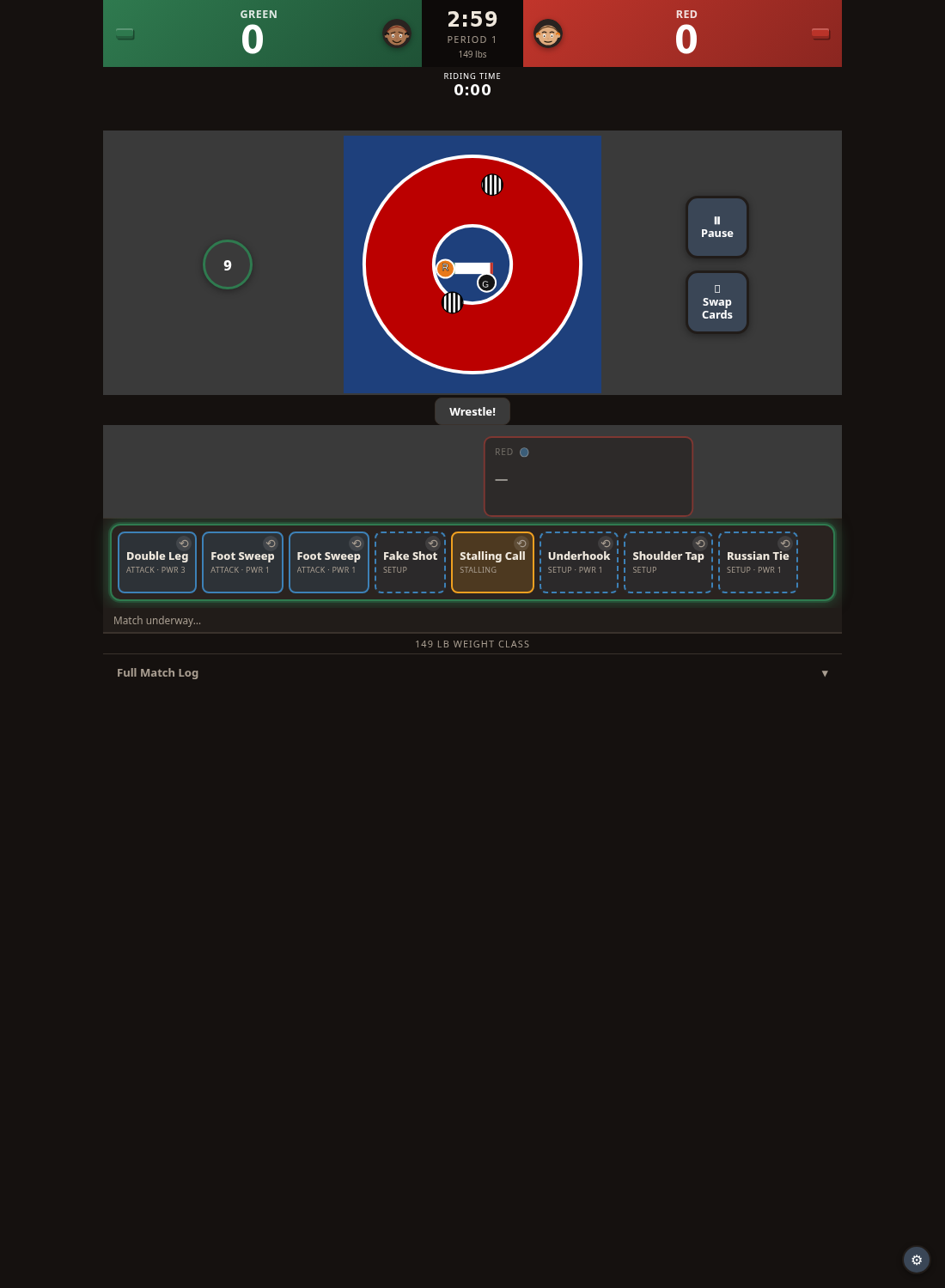
Real screens from Tech Fall! — setting up a match, the mat during a period, and the move cards you play from.

See it in action
Thirty seconds from the opening whistle of a real match: move cards, setups, shots, counters, scoring, and the match clock.
Play
Play a move card from your hand. Real shots like the Double Leg only land the instant after a Snap Down or Circle — shoot cold and nothing develops. Setup cards have a dashed border and never score alone; they make your next scoring move better.
Swap Moves
Redraw your whole hand when it does not fit the position. A full swap costs you the turn, so weigh it against the clock.
Defer
Pass and let the clock run. Two free defers per period — a third draws a stalling point for your opponent and hands them a shot that skips the setup requirement.
Human vs Computer
Take on the machine in a single match or a full ten-match team competition. The computer reacts at the speed set by your skill level.
Pass & Play
Hand the device back and forth with a friend. Pick corner names and singlet colors, then wrestle the same match from both sides.
Single Match
One match, three periods, one winner. Tied after regulation goes to sudden victory and tiebreaker periods.
Team Competition
Wrestle ten collegiate matches in sequence and track the team score across the full lineup. Decisions, major decisions, technical falls and falls all contribute.
The skill level controls how long you get to pick a move each turn — and how fast the computer reacts.
Rookie
20 seconds to choose each move — plenty of time to read the cards.
Junior Varsity
10 seconds per decision. The pace picks up.
All-American
5 seconds per decision. You have to know your hand.
National Champion
A random 2–6 second window every turn. The rhythm never settles, for you or the computer.
Cards are color-coded by position so it is easy to follow at a glance. Your hand switches to the right color set the moment the position changes.
Neutral
Both wrestlers are standing. Either can shoot for a takedown. Steel-blue cards show neutral and mutual-position moves.
Top
In control and attacking for back points. Teal cards appear the moment you score a takedown or reversal.
Bottom
Working to escape or reverse. Magenta cards give you genuine counters, not another shot attempt.
The current folkstyle mode applies its scoring automatically as moves land.
Back points need a confirming move right after. Two clean scoring moves in a row is a near fall (2 points), a longer hold can push it to 3 or 4, and a truly dominant sequence can end the match by fall.
Tech Fall! legal
See exactly what stays on your device, how optional names, photos, match history and team scores are handled, and the terms for using the game.
No. Tech Fall! does not ask for a name, email, or any personal information. Optional names and photos stay on your device.
No. Match history and session stats live only in your browser tab's memory. Closing the tab clears them. You can export a backup file if you want to move stats to another device.
Moves like Snap Down, Circle, Hand Control and Leg Ride never score by themselves. They improve the odds of the real scoring move you play right after them — and real shots only land right after a Snap Down or Circle.
One Cradle or Cross-Face Cradle exposes. A second in a row scores back points. A third in a row — before it is defended or time runs out — is an automatic fall.
Overtime starts with a full 60-second Sudden Victory period: first score wins. If still tied, two 30-second tiebreaker periods follow. If still tied, criteria decide it.
Share this page
Tap the button to copy a link and share it with anyone you like. We never collect names, emails, or any personal information.
The fast family tabletop game, plus Kazinga To Go for iOS and Android.
See Kazinga
The write-the-answer flashcard game with nine categories free forever.
See SynAPPsium
Pet profiles, health records, stories and care details, kept on your device.
See The Pet Files